How an OSRS Bingo event works
Running a bingo board
Ten minutes to set up, however long you want it to run.
- Create a bingo board — Pick a grid size from 3×3 up to 10×10 — bigger boards suit longer events and bigger rosters.
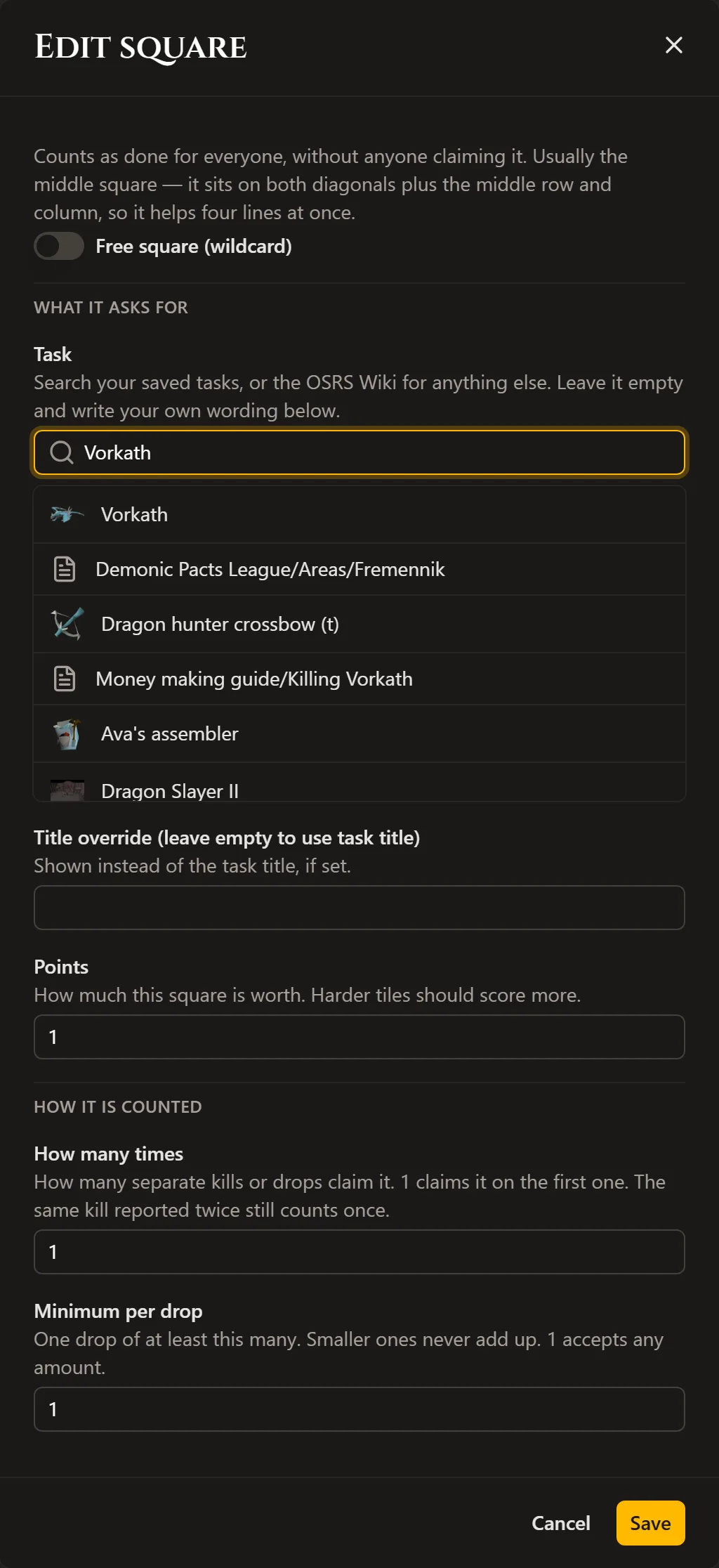
- Fill the squares — Attach a task to every square straight from the OSRS Wiki search, the same picker Snakes & Ladders tiles use. Weight harder squares with more points, and mark any square a wildcard to count for everyone automatically.
- Choose how it's won — Score on completing rows, columns or diagonals, or require the full board. Add a bonus for finishing a counted line on top of the squares themselves.
- Decide on approval — Turn on claim approval to review every submission before it scores, or leave it off so claims count the moment a player makes them.
- Open it up — Set who can join same as any event — open to anyone, locked to your Discord server, or invite only — and share the link.
Playing a bingo board
Claim a square, prove it if the host asks, watch it count.
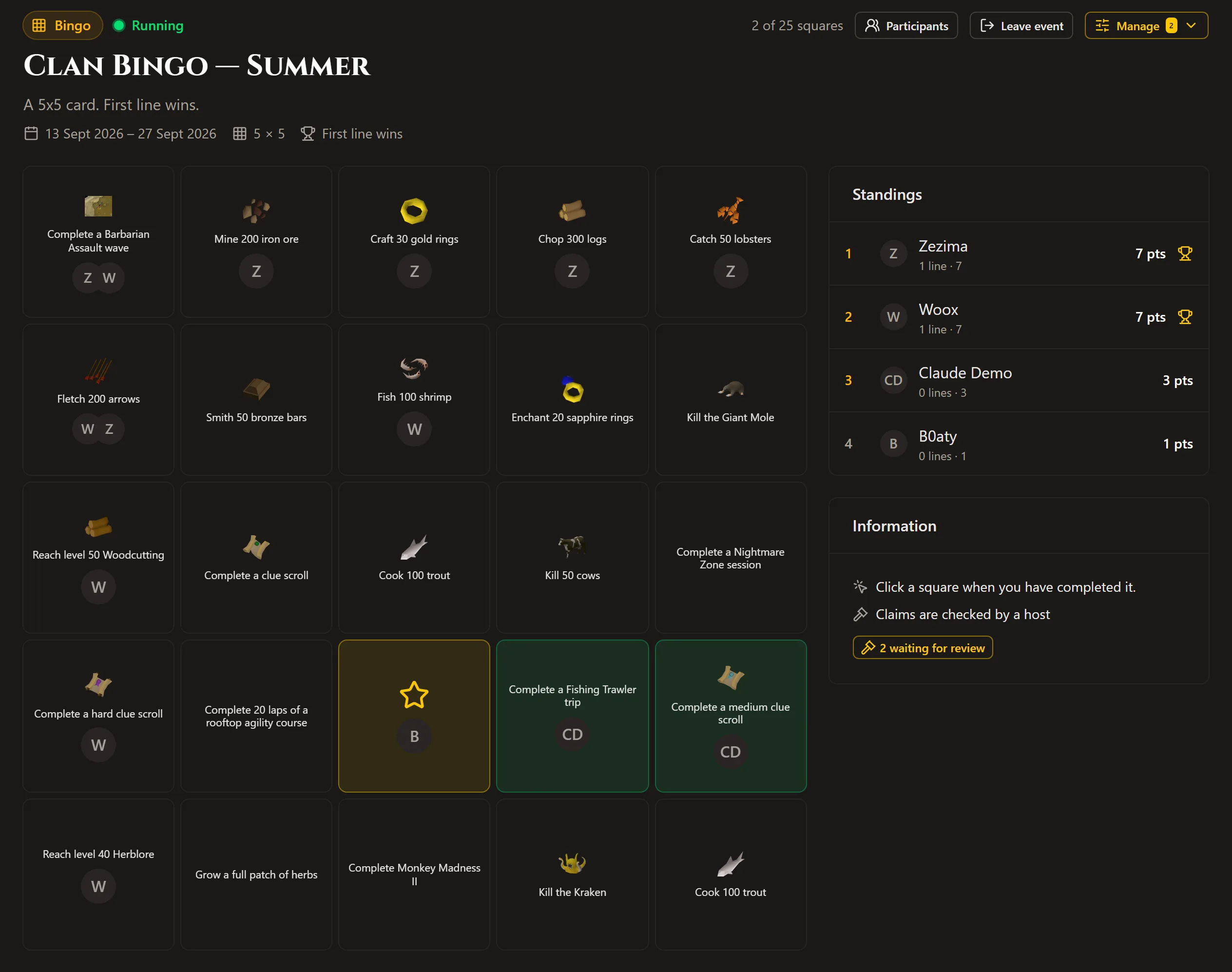
- Open a square — Pick any square you can complete — there's no set order, work the board however you like.
- Claim it — Mark the square done, optionally with a link to a screenshot as proof and a short note for the host.
- Wait for approval, or not — If the host reviews claims, yours sits pending until they rule on it. If not, it scores the instant you claim it.
- Watch the board live — Every completed square, line and score updates for everyone watching, no refresh needed.
Why bingo still works
Bingo rewards raw hours more than any other format on this site — the most active grinder in a clan usually decides a full-board race by the first weekend. Line-based win conditions and per-square point weighting are how you keep it competitive: a wildcard square or a well-placed hard task can be worth an early line even for someone who can't out-grind the top of the roster.
Win conditions
Set per board, not fixed for every event you run.
- Lines — Score whichever rows, columns or diagonals you turn on, with a bonus on top for each one completed.
- Full house — Require every square on the board before it counts, for a longer, harder event.
- Wildcards — Mark a square as automatic for everyone, so it always counts toward every player's or team's lines.
Frequently asked questions
Do players need to submit a screenshot to claim a square?
Only if the host turns on claim approval — then a proof link and a short note help the host judge the claim. Without approval on, a claim counts the instant it's made.
Can a square count for everyone automatically?
Yes — mark it a wildcard and it counts toward every player's or team's lines without anyone claiming it.
What happens to a pending claim if I close the event?
Claims stop being accepted once the event ends or is paused, but the host can still work through the review queue for anything already submitted.
Can teams play bingo together?
Yes — bingo supports the same solo or team setup as every other event type.